Teras AI · Work · Counsel OS
Counsel OS sorts your email, drafts replies that know your prices and terms, and writes back in your clients' languages. It runs on your own computer with your own AI key, so you pay your AI provider directly.
QUICK TOUR · DEMO MAILBOX WITH INVENTED CLIENTS
PRIVATE BETA · GMAIL AND OUTLOOK
The problem
Email takes the day.
Generic AI makes it worse.
- 01 · VOLUME
Hundreds of messages a week
The client who is ready to sign sits between newsletters, receipts and a thread you were only copied on.
- 02 · LANGUAGES
Clients who write in their own language
A German enquiry or a French follow-up takes twice as long, and a translation tool doesn't know your prices.
- 03 · GENERIC AI
Drafts that sound like nobody
Chat tools write fluent email that gets your terms, prices and tone wrong, so you rewrite it anyway.
How it works
Four steps, and the last one is always yours.
Counsel OS runs on your own computer and works on the mailbox you already have, so there is nothing to migrate and no new address to hand out.
- 01
Connect
Sign in to Gmail or Outlook. Your mail syncs to your computer and stays there.
- 02
Teach it
Answer a few questions, point it at your website, drop in a price list or a Word file.
- 03
Draft
Say what the reply should do in a few words. It writes it in your tone, with the right details.
- 04
You send
Read it, change what you like, press Send. Nothing leaves your outbox without you.
01 · The inbox
Know what matters before you open it.
- Sorted as it arrivesUrgent, Action, FYI and Ignore, so the day starts with the few emails that need you.
- Summaries in one clickA long thread becomes a few lines on what the sender wants, and the summary stays on the row.
- Priority SendersMark the clients who matter and filter the inbox down to them in one click.
- InstantYour mail is already on your computer, so opening, searching and switching folders doesn't wait on a server.
02 · Replies
Replies that sound like you, in their language.
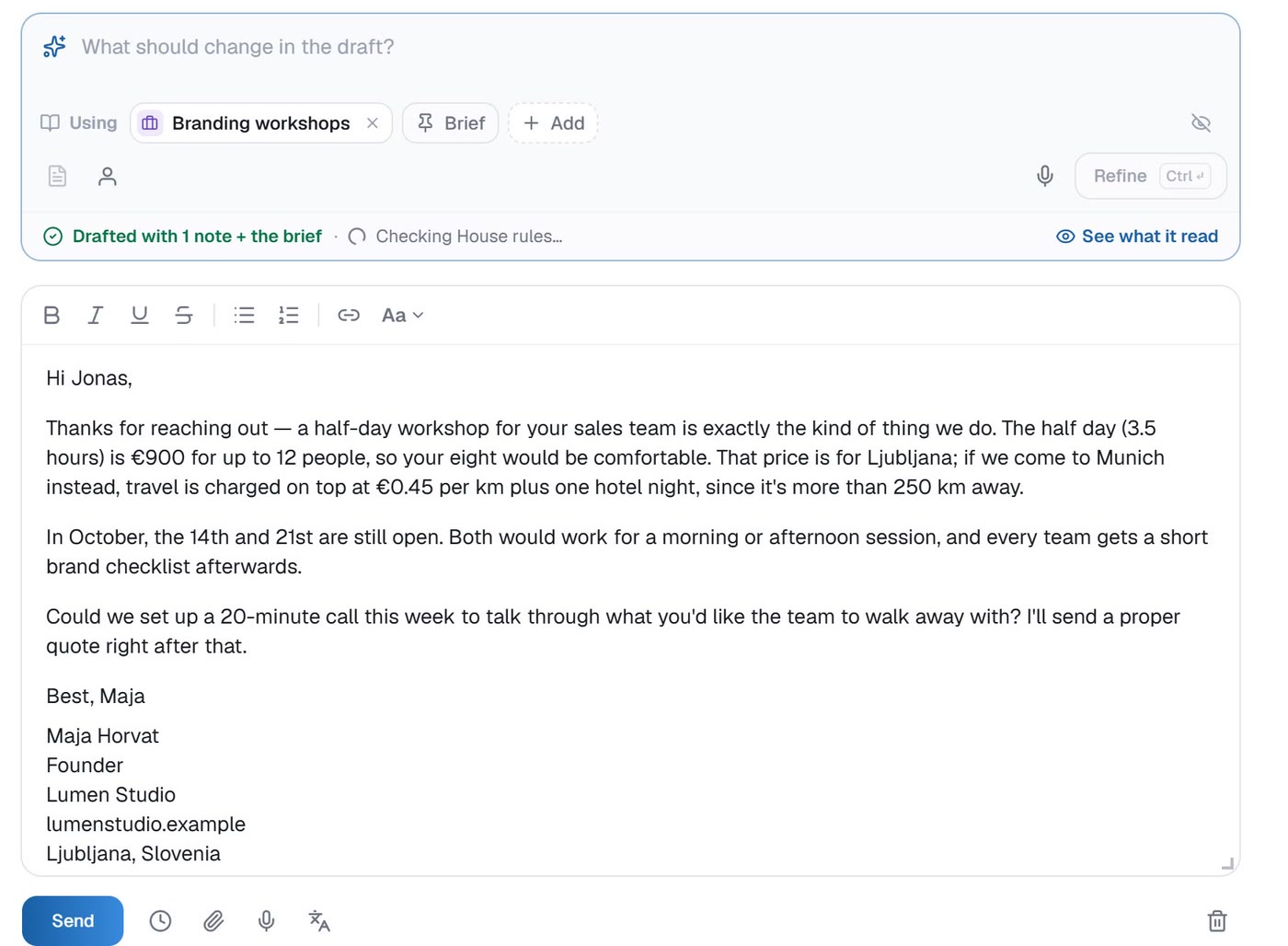
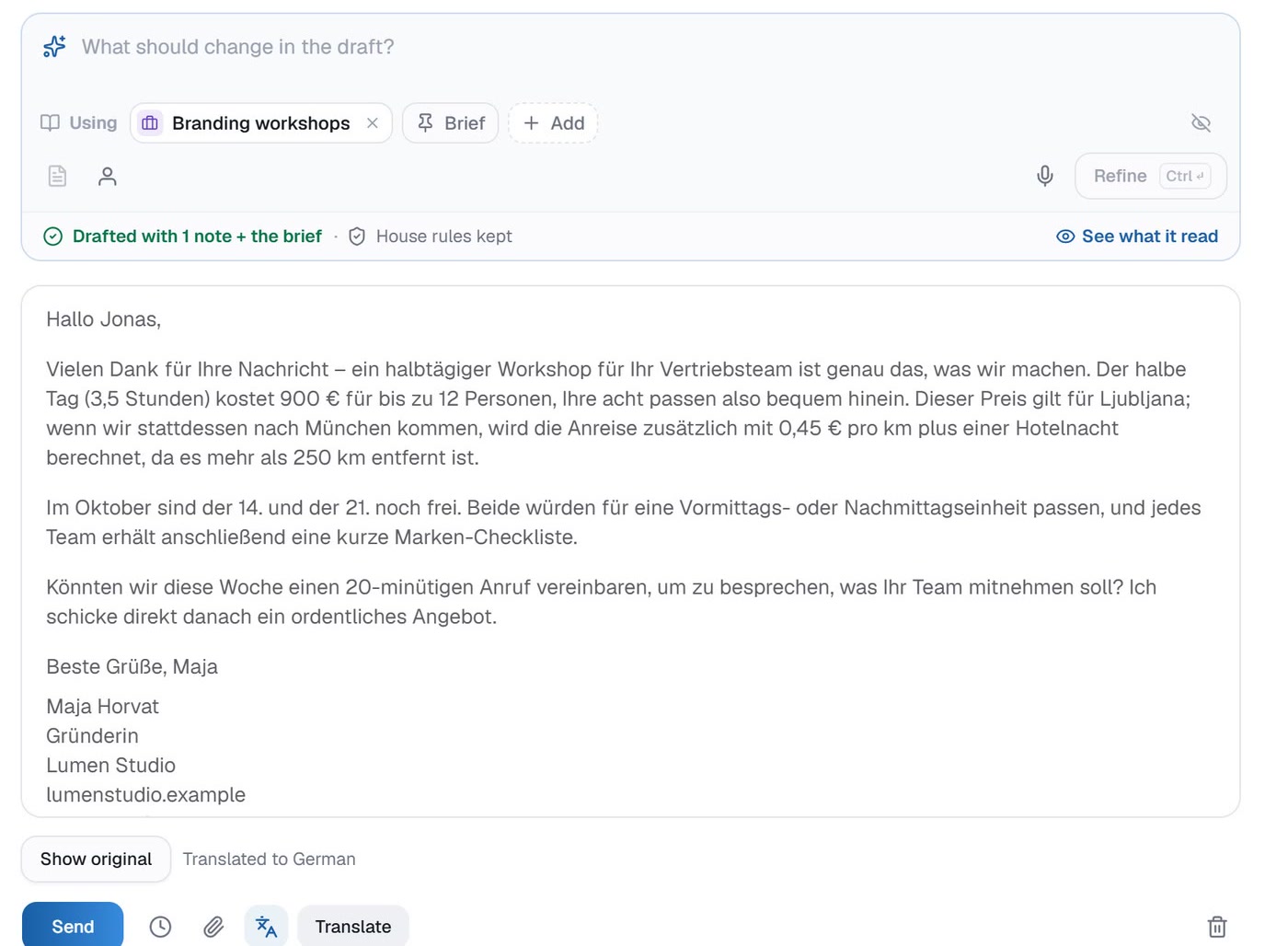
- It knows your businessPrices, packages, availability and terms come from what you taught it, not from a guess.
- Your toneWarm or brief, formal or first-name: the draft reads like you on a good day.
- Revise in plain words“Shorter, and offer the 21st instead.” Type it or say it, and the draft changes.
- Their languageRead and draft in yours, send in theirs. The client never sees the English.
- House rules keptThe things you never promise in writing stay out of every draft.
NINE LANGUAGES
- English
- Deutsch
- Français
- Español
- Italiano
- Slovenščina
- Hrvatski
- Srpski
- Čeština
03 · Knowledge
It learns your business.
You approve every word.
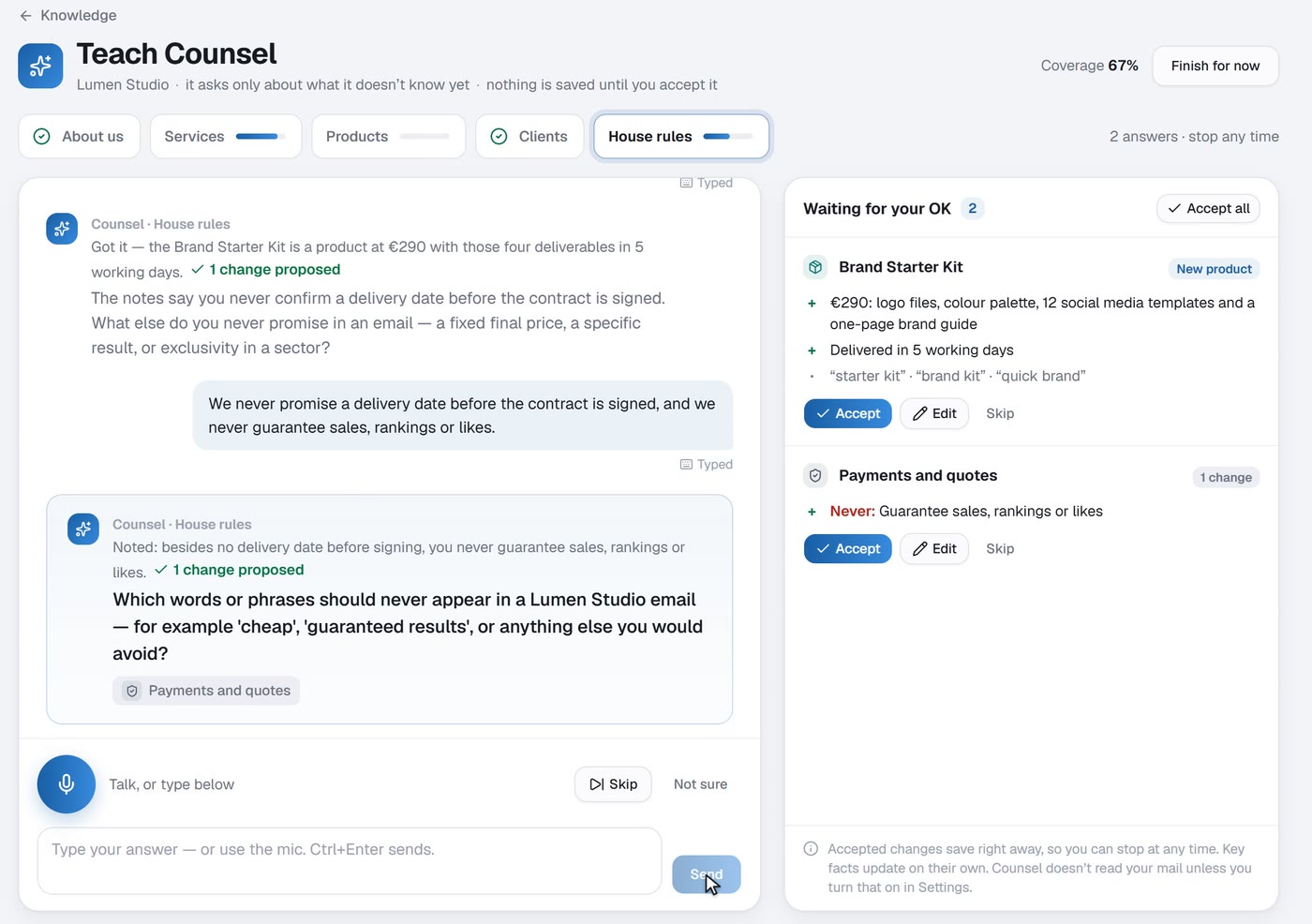
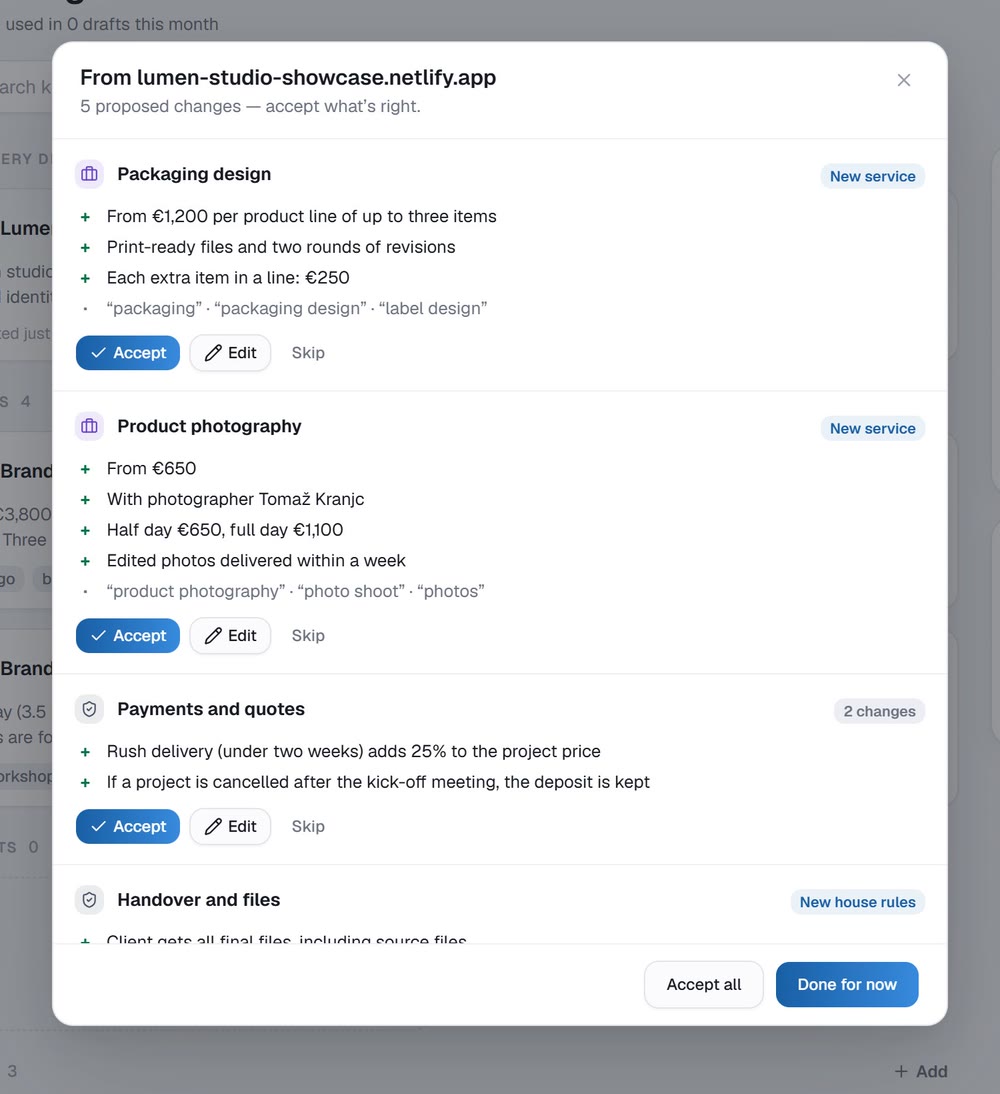
What separates a generic draft from yours is what it knows. Counsel OS learns it from you once, and every reply after that gets the details right.
- INTERVIEW
Teach Counsel
It interviews you about your business a few questions at a time, and asks only about what it doesn't know yet. Type or talk.
- IMPORT
Reads what you already have
Point it at your website, or drop in a price list, a Word file or a PDF. It reads them and proposes notes.
- APPROVAL
Nothing saved without you
Every proposed change waits for your OK. Accept, edit or skip it, and stop whenever you like.
04 · Private by design
No second copy of your inbox in someone else's cloud.
Your mail stays where it already is, with Gmail or Outlook, and on your computer. Counsel OS has no server of its own, and your AI provider gets only what a task needs.
- Notes
- Drafts
- Sign-ins, encrypted
- Stored on your computerMail, notes and drafts live in a database on your own disk. There is no Counsel OS server in the middle.
- Your own AI keyYou choose the AI provider and pay it directly for what you use. We don't resell AI or add a markup.
- Sign-ins and key encryptedYour Gmail or Outlook sign-in and your AI key are encrypted with a key held in Windows Credential Manager or macOS Keychain.
- You press SendNothing goes out on its own, and Undo send gives you a moment to change your mind.
Who it's for
For people whose work arrives by email.
If the inbox is where clients ask, negotiate and say yes, the time it takes to answer well is the time you have.
- 01
Founders
Clients, partners and investors in one inbox, and every reply has to sound like the person who runs the company.
- 02
Small businesses
Enquiries, quotes and bookings answered with the right prices and terms, without a support team.
- 03
Consultants and freelancers
Client mail that can't sit on someone else's server, and hours back for billable work.
- 04
Anyone writing across borders
Read in your language, reply in theirs, and never paste a client's email into a translator again.
The full walkthrough
Four minutes, every feature.
A guided tour on the demo mailbox: triage and summaries, a reply drafted in English and sent in German, teaching Counsel, importing a document, and that new knowledge turning up in a French reply.
Try it on your
own inbox.
Counsel OS is in private beta. Tell us a little about your inbox, how much mail, which languages, and we'll be in touch about a place.
Counsel OS is one of three in-house projects at Teras AI, alongside Autonomous Agents and Local AI. The clients, emails and studio in the videos are invented for the demo.